
How to start
Understanding Economics
Already registered? Use Student Login in the menu, or go to understandecon.com/lms.
Follow this easy process:
#1
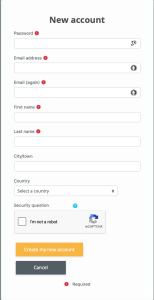
Open https://understandecon.com/lms/login/signup.php or click either of the buttons below, and fill out the student registration form
#2
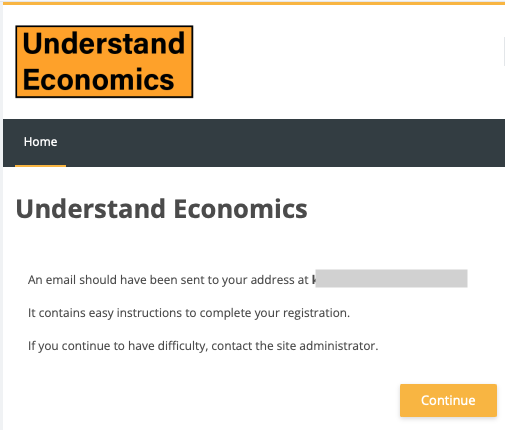
When you see this acknowledgement of your registration, check your email (No need to use the Continue button).
#3
Click the Confirm your account link in your confirmation email.

#4
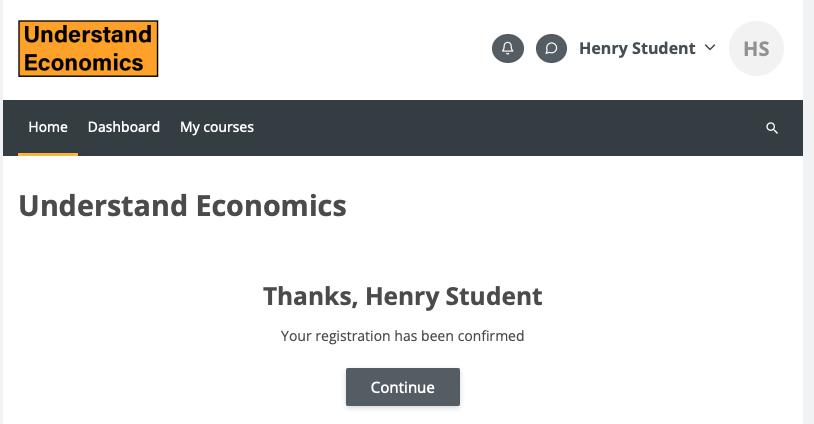
Click Continue on the confirmation page.
#5
Click the button "Click to enter this course"

#6
When the page reloads, click the "Enrol me" button to start Understanding Economics.
